


Snoopy Lights
Snoopy Lights
Bring back the magic of childhood Christmas with Snoopy by your side.
The Perfect Gift for Snoopy Lovers
More Than a Light — A Christmas Mood


30-Day Warranty
30-Day Warranty
We stand behind every SnoopyLights purchase.
If you're not completely satisfied with your product within 30 days of purchase, we'll make it right — no questions asked.
✓ Full refund or replacement
✓ Free return shipping
✓ No hassle, no fine print
Simply contact our support team with your order number and reason. We'll process your return and get your refund started within 24 hours.
Your satisfaction is our guarantee. Light up your Christmas worry-free.

How long does shipping take?

How long does shipping take?
We ship all SnoopyLights orders within 1-2 business days of purchase. Once your order ships, delivery typically takes 3-10 days depending on your location.
Shipping Details:
- Orders placed before 2 PM (EST) ship the same day
- Orders placed after 2 PM ship the next business day
- Free worldwide shipping on all orders
- Tracking information sent via email as soon as your package ships
- Most US orders arrive within 3-5 days
- International orders arrive within 8-10 days
You'll receive a tracking link so you can monitor your package every step of the way. If your order doesn't arrive within the estimated timeframe, contact our support team and we'll make it right.
We know you're excited to light up your Christmas — we get it shipped fast so you can start creating.


Worth every penny
Game changer for the holidays
Finally, personalized Christmas lights
Worth every penny
Game changer for the holidays
Finally, personalized Christmas lights
Worth every penny
Game changer for the holidays
Finally, personalized Christmas lights
Worth every penny
Game changer for the holidays
Finally, personalized Christmas lights
Worth every penny
Game changer for the holidays
Finally, personalized Christmas lights
Worth every penny
Game changer for the holidays
Finally, personalized Christmas lights
Worth every penny
Game changer for the holidays
Finally, personalized Christmas lights
Worth every penny
Game changer for the holidays
Finally, personalized Christmas lights
Worth every penny
Game changer for the holidays
Finally, personalized Christmas lights
Worth every penny
Game changer for the holidays
Finally, personalized Christmas lights
Worth every penny
Game changer for the holidays
Finally, personalized Christmas lights
Worth every penny
Game changer for the holidays
Finally, personalized Christmas lights
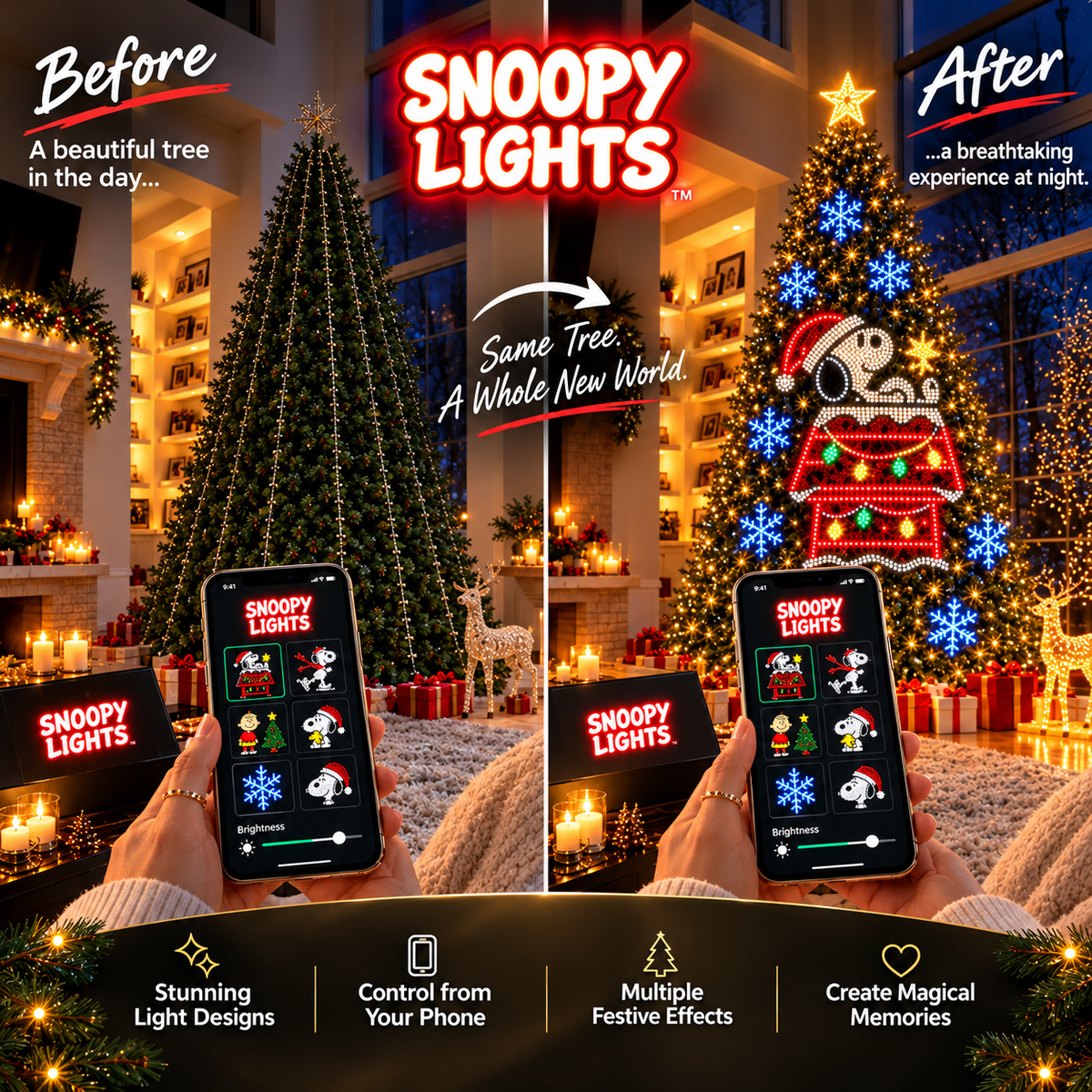
Make It Yours
Upload any image. Watch it glow.
Transform your phone into a design studio. Family photos, holiday cards, inside jokes, anything — your lights, your vision.
The app handles the rest.
FAQ
How does the app control work and is setup complicated?
How does the app control work and is setup complicated?
Setup is simple — takes about 10 minutes. Here's what you do:
- Unbox and plug in your SnoopyLights controller to any outlet
- Download the SnoopyLights app (iOS/Android)
- Connect to your WiFi through the app
- Pair the controller with your lights using the app
- Start uploading your designs
No technical knowledge needed. The app walks you through each step. Once it's set up, you can control your lights from anywhere using your phone — upload designs, adjust brightness, set timers, or sync to music. If you ever get stuck, our support team is here to help within 24 hours.
How many designs come with it? Can I customize them?
How many designs come with it? Can I customize them?
SnoopyLights gives you total creative freedom. There are no pre-loaded designs — you upload ANY image you want from the app to create your own LED patterns.
The SnoopyLights app lets you upload any image directly to your lights. Want Santa Snoopy? Upload it. Your family photo? Your holiday card? Custom text? Your pet in a Christmas hat? Upload it and your lights will display it as a glowing LED pattern.
Just tap "Create Design," upload any image from your phone, and the app converts it into a programmable LED pattern. Send it to your lights instantly. Change designs whenever you want — holidays, special occasions, or just because. The possibilities are endless.
Can I use SnoopyLights outdoors?
Can I use SnoopyLights outdoors?
Yes! SnoopyLights are weather-resistant and designed for both indoor and outdoor use. The controller is weatherproof and can handle rain, snow, and temperature changes.
For outdoor setup, just plug your controller into a weatherproof outlet or use a GFCI extension cord. The light strings are durable and built to last through harsh winter conditions. Keep the controller in a sheltered spot (covered porch, garage, etc.) for best performance.
Whether you're decorating your tree indoors or outside, SnoopyLights delivers the same stunning quality.
Is it energy efficient?
Is it energy efficient?
Absolutely. SnoopyLights uses 80% less power than traditional incandescent Christmas lights, saving you money on your electricity bill without sacrificing brightness or quality.
LED technology means your lights stay cool to the touch, are safer around kids and pets, and last way longer. You can run them for hours without worrying about your energy costs. Plus, the app lets you set timers so your lights automatically turn on and off — even more savings.
Better for your wallet. Better for the planet.
REVIEWS
-

Best impulse buy ever
Saw it on TikTok and ordered it on a whim. Honestly didn't expect much, but wow. The quality is insane. My family has been obsessed uploading different photos every night. It's become our new Christmas tradition. Already told all my friends about it.
-

Shipped fast, works perfectly
Got mine in 5 days.Even tho i live in middle of nowhere. Setup was literally plug-and-play. The app is super intuitive, no confusing menus or glitchy controls. My tree looks like something from a store display now. Worth every penny and then some.
-

Kids keep coming back to see what's new
Every morning my kids run downstairs to see what new design I uploaded. It's become this fun thing where they suggest designs and I make them happen. The LED quality is bright and crisp. Best Christmas decoration investment we've made in years.


